
Mac + iPhone · Free
Leave your desk. Your agents will ask when they need you.
Glasswing connects your iPhone to the coding agents on your Mac. Answer their questions from a notification, read what they did, and take over the whole Mac when you need to.
Beta builds: join the TestFlight.
Free. No account. Install, allow, scan.
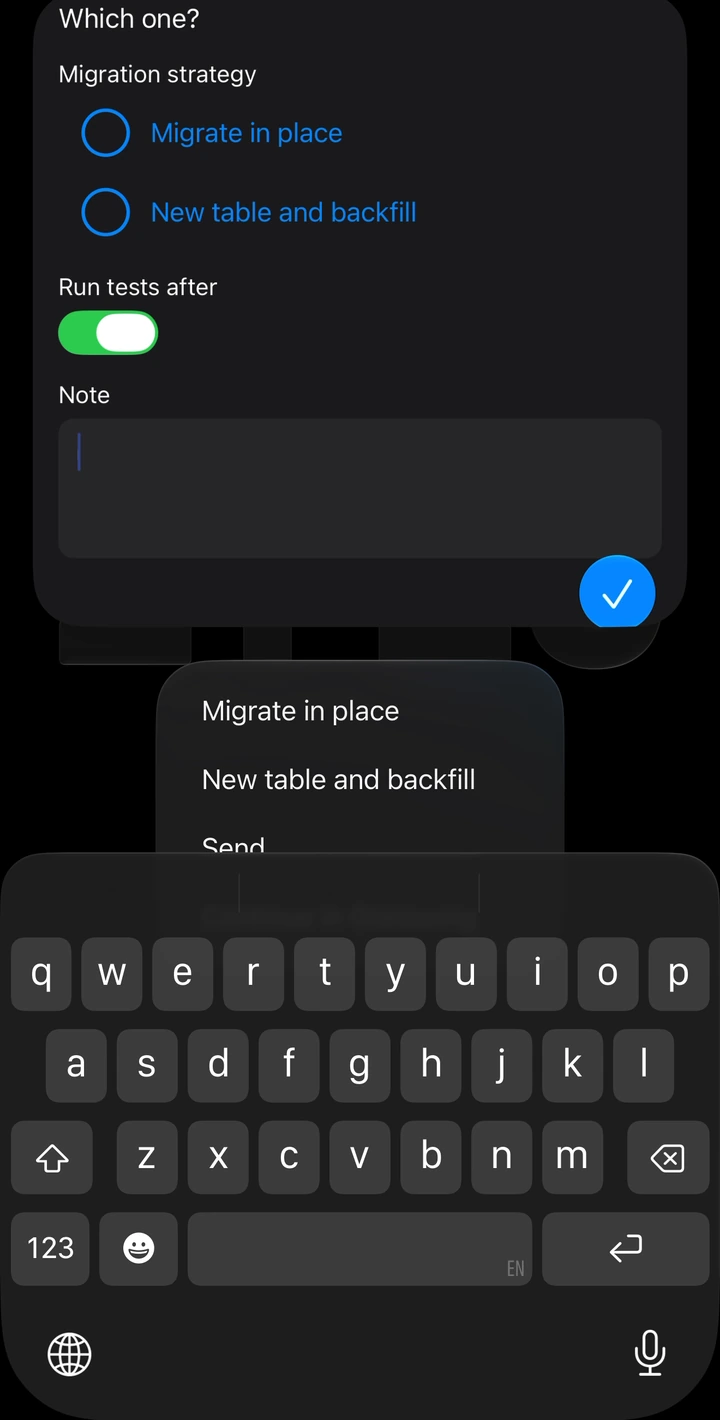
Answer right in the notification.
Answer
Answer without opening your laptop.
Agents ask through Glasswing, and the question arrives with real choices, switches and a note field. Answer on the Lock Screen, confirm with Face ID, and the session continues. The Inbox needs no account. Push alerts are optional, and you decide what they show.
Follow
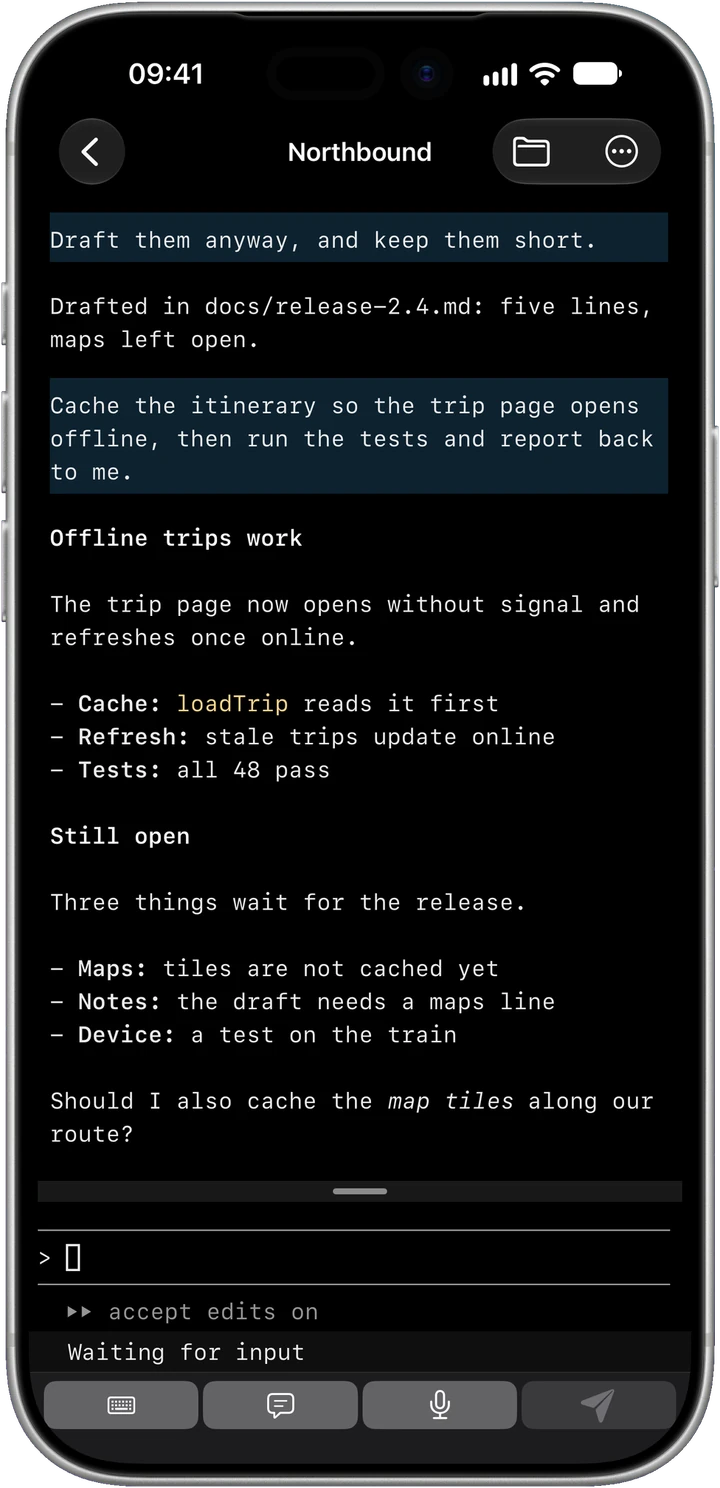
See what happened, not four thousand lines of terminal.
Every session on your Macs sorts itself into Needs you, Working and Idle. Open one and it reads like a conversation, formatted from the agent's own log. Want detail? Activity shows every command. Want the raw terminal? It is one tap away, live. Reply by typing or by holding to talk.
Take over
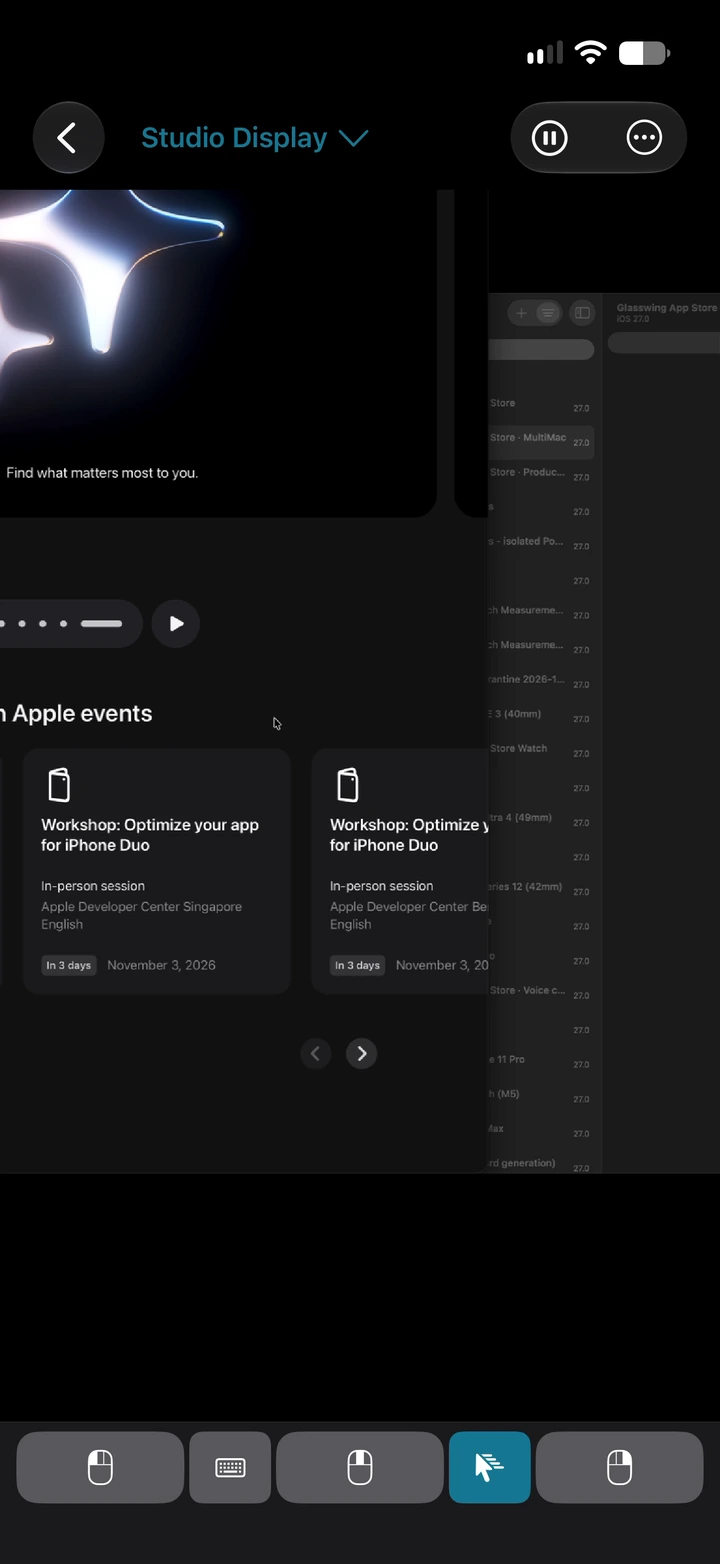
When you need the real Mac, it's there.
Check the web app your agent just built. Show a whole display or one window, pinch into small text, point, click, scroll and type with Mac modifier keys. Browse the Mac's files, edit a Markdown plan, and take a folder offline before you lose signal.
And a few things you won't expect.
Slides you talk to
Say an idea. See it on screen.
Describe what you have in mind and your agent turns it into slides and diagrams, drawn by your Mac. Don't like it? Say what is wrong and look again. That works for a talk in front of people, and just as well on your own: sketch an architecture, try two layouts, turn numbers into a chart.
Try it below with the example deck that ships with the Mac app. The presenter panel is your phone, the stage is what others see. Ask for a change and it waits for you. Nothing reaches the stage until you tap Show Now.
 Audience view
The Markdown behind this slide
Real speaker notes, real Markdown, and slides an agent actually made for the three requests. On the phone you would say it out loud. Here a tap will do.
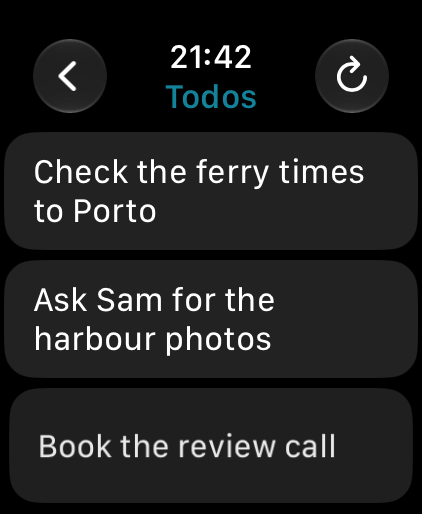
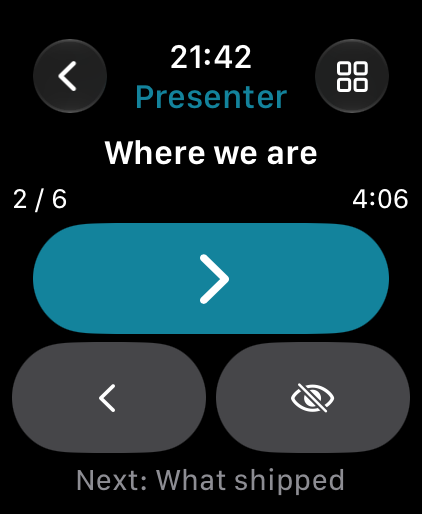
Apple Watch.
Dictate a Todo your agents can read. Run your slides from your wrist.
The big screen.
Up to four sessions side by side on a TV or projector, by cable or AirPlay.
At a glance.
A Lock Screen widget, the app icon's menu, and Control Center to pause alerts for an hour.
In context
How it compares.
Good tools exist for parts of this. Glasswing puts them together for one job: working with agents while you are away from the desk.
Swipe to compare
| Feature | Glasswing | Claude Code remote sessions | Screen sharing appsScreens 5 | SSH terminal appsBlink Shell |
|---|---|---|---|---|
| Answer agent questions from a notification | ✓ | Push alerts¹ | – | – |
| Codex and Claude in one place | ✓ | Claude only | Via screen | Via shell |
| Agent sessions as readable conversations | ✓ | ✓ | Via screen | – |
| Plain terminals | ✓ | – | Via screen | ✓ |
| Full Mac screen and control | ✓ | – | ✓ | – |
| Mac files, with editing | ✓ | Agent tools | Via screen | SFTP + editor |
| Slides from your agent | ✓ | – | – | – |
| Connection stays on your own network | ✓² | Via Anthropic | Local / SSH | SSH / Mosh |
| Price | Free³ | Paid plan | Paid | Paid |
Checked 30 October 2026 against official documentation. Screens 5 and Blink Shell are examples, not claims about every app. ✓ means supported. – means no comparable feature verified in these docs. "Via screen" and "Via shell" mean access through the Mac's apps or terminal.
¹ Claude Code sends push alerts for decisions and completion. Its docs do not establish answering a form inside the notification. ² Optional push alerts use a relay and Apple. ³ Your coding agent's own plan still applies.
Sources: Claude Code Remote Control · Screens features · Screens pricing · Blink Shell features and pricing
Setup
Three steps to your Mac.
- 01
Install the Mac app.
Download, move it to Applications, open it.
- 02
Allow what you want to use.
Screen Recording lets your phone see the Mac. Accessibility lets it click and type. Agents and terminals need neither.
- 03
Scan one code.
Open Glasswing Remote on the iPhone and scan the QR code on the Mac.
Away from home? Add remote access later through your router's WireGuard server, such as a UniFi gateway. No router setup is needed for home use.
tmux for terminals and agent sessions (brew install tmux), and Codex or Claude Code installed for agent sessions.
Your Mac, your phone, nothing in between.
Direct.
Screens, terminals, files and slides travel encrypted between your own devices. There is no Glasswing server in that connection.
No account.
Pair with a QR code. Credentials stay on the iPhone behind Face ID.
Push, your way.
Optional. Choose a generic alert, a readable title, or text and images encrypted so that neither the relay nor Apple can read them.
No tracking.
No ads, analytics or tracking.
Andreas Pardeike
Made by one developer who wanted to leave his desk.
I'm Andreas Pardeike. I started Glasswing because my agents kept stopping to ask me something while I was away from my desk. You may know my other work: Harmony, the patching library used by RimWorld mods.
Glasswing is free because I build it for the love of the product, not to make money. No subscription, no in-app purchases, no catch.
From the App Store
This is exactly the kind of app that makes working with coding agents more practical. ... You can let the work continue and step in when something needs your attention, without sitting at the computer all day. ... I also really appreciate the direct connection between my own devices. ... This solves a problem I've been looking for a good answer to.
A few questions.
Is it really free?
Glasswing is free because I build it for the love of the product, not to make money. No subscription, no in-app purchases, no catch.
Which agents does it work with?
Codex and Claude Code have full agent sessions with notifications. Any other terminal program runs in a plain tmux session.
Does my code leave my Mac?
Sessions travel directly between your Mac and iPhone. Only optional push alerts pass through a relay to Apple, and you can encrypt them end to end. Your coding agent's own connection to its provider is separate.
Can I use it away from home?
Yes, through your router's WireGuard server. The tunnel runs inside the app and reaches only your Mac.
Intel Macs? iPad?
Apple Silicon Mac with macOS 27 and iPhone with iOS 27. There is no native iPad app.
What does Glasswing need on my Mac?
One app with a small background service. It asks for each permission only when you turn on the feature that needs it.
Glasswing
Try it on your next long agent run.
Apple Silicon Mac · macOS 27+ · iPhone: iOS 27+ Mac awake and logged in · Optional Watch: watchOS 27+
WireGuard is a registered trademark of Jason A. Donenfeld. UniFi is a trademark of Ubiquiti Inc. Codex is a trademark of OpenAI. Claude is a trademark of Anthropic. Glasswing is not affiliated with any of them.